Sony’s official PDF, which it no longer publishes: the link opens the copy kept by Internet Archive’s Wayback Machine.
Getting started
Battery With the POWER switch on OFF(CHG), push the InfoLITHIUM P series battery onto its terminals until it clicks. Plug the AC adaptor into the camcorder’s DC IN socket: the CHG lamp lights up, then goes out when charging is complete, after about 115 min for an NP-FP30.
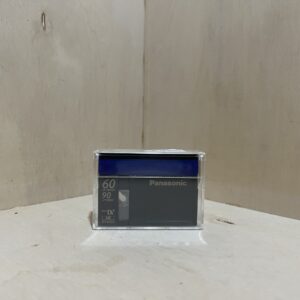
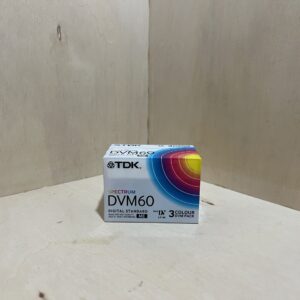
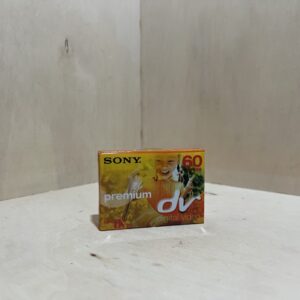
Tape It only takes Mini DV, without Cassette Memory. Hold the OPEN/EJECT lever pushed: the compartment lifts up. Slide the tape in with its window facing out, press gently on the centre of its spine, let the compartment lower by itself, then close the lid.
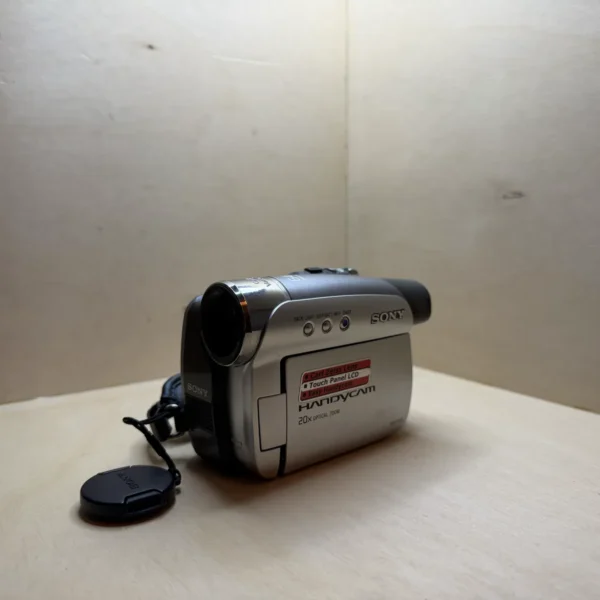
Switching on for the first time Remove the lens cap by pressing its two buttons, then slide POWER while pressing the green button until the CAMERA lamp lights. The first time, the CLOCK SET screen opens: set the year, month, day, hour and minutes with your fingertip, then confirm with OK.
Filming With the CAMERA lamp lit, press REC START/STOP: STBY changes to REC. Press again to stop. The EASY button switches to Easy Handycam: settings are made automatically and the on-screen text can be enlarged.
Playback Slide POWER until the PLAY/EDIT lamp lights. On the touchscreen, rewind, then start playback, and adjust the sound with PAGE1 then VOL. A pause of more than 3 minutes stops playback.
What it can do
20× optical zoom. Beyond that, the digital zoom goes up to 640× if you switch it on (CAMERA SET menu, D ZOOM), with a less detailed picture.
NightShot plus: with the NIGHTSHOT PLUS switch on ON, it films in the dark by infrared, up to about 3 m with the N.S.LIGHT. Not in bright light.
Photos on the tape: press PHOTO halfway to check, then fully to record the still image with sound for 7 seconds.
On the touchscreen, touch the subject to focus on it (SPOT FOCUS) or to set the exposure for it (SPOT METER). BACK LIGHT brightens a backlit subject.
SteadyShot compensates for camera shake. Turn it off on a tripod.
Recording times to plan for
DVM60 tape: 60 min in SP, 90 min in LP. LP recordings can show mosaic-like noise when played on another device.
NP-FP30 battery: 95 min of continuous recording using the screen, 110 min using the viewfinder, 45 to 55 min in real use with stops and zooming.
It also takes the NP-FP50, NP-FP70, NP-FP71 and NP-FP90, up to 500 min of continuous recording using the screen with the NP-FP90.
By default, on battery, it switches itself off after 5 min without use (OTHERS menu, A.SHUT OFF). On mains power, it stays on.
Good to know
After playback, press END SEARCH (PAGE1) before filming again: it lines up at the end of the last recording and you avoid a blank gap on the tape.
It is PAL. For a TV, the manual calls for a PAL set with an audio/video input, connected with the A/V cable to the A/V OUT socket.
For a computer: mini-B USB socket (USB 2.0 type A to mini-B cable) or the DV i.LINK output, which is more precise. The DCR-HC23E outputs the picture over DV but doesn’t record from another device.
An internal battery keeps the date and time. After about 3 months without power, it runs down: leave it on mains power for 24 hours, POWER on OFF(CHG), then set the clock.
Care
Mosaic noise in the picture, a frozen picture or no sound: clean the heads for 10 seconds with the Sony DVM-12CLD cleaning cassette.
It isn’t waterproof. Going from cold to warm, put it in a sealed plastic bag and wait an hour before taking it out.
Rewind tapes after use and store them upright in their cases. The tab set to SAVE protects them from being erased.
Sony recommends running it about once a month to keep it in good condition.
Handycam DCR-HC23E specifications
Format
Mini DV tape, PAL system
Sensor
1/6-inch CCD (3.0 mm), 800,000 pixels, 400,000 effective for video
Lens
Carl Zeiss Vario-Tessar 2.3-46 mm f/1.8-3.1, i.e. 44-880 mm in 35 mm equivalent, 25 mm filter
Zoom
20× optical, 640× digital
Screen and viewfinder
6.2 cm (2.5-inch) LCD touchscreen, 123,200 dots, colour viewfinder
Audio
PCM stereo, 12-bit (32 kHz) or 16-bit (48 kHz)
Battery
InfoLITHIUM P series, original NP-FP30 (7.2 V, 500 mAh)
Connections
A/V OUT, mini-B USB, 4-pin DV i.LINK output, DC IN
Pay by card, Klarna or Google Pay. Your bank details never pass through us.
Free delivery from €150 in mainland France
Elsewhere, the exact rate is shown before you pay.
Tracked parcels, padded by hand
Tracking number by email, oversized packaging: a camera body doesn’t travel like a book.
Tested second-hand
Mechanics, optics, electronics: every item goes through our testing method before it goes online.
A word about cookies
Those for the basket and payment are essential. The others wait for your consent: audience measurement, advertising, visit tracking for our emails. You can withdraw it whenever you like. Details here.