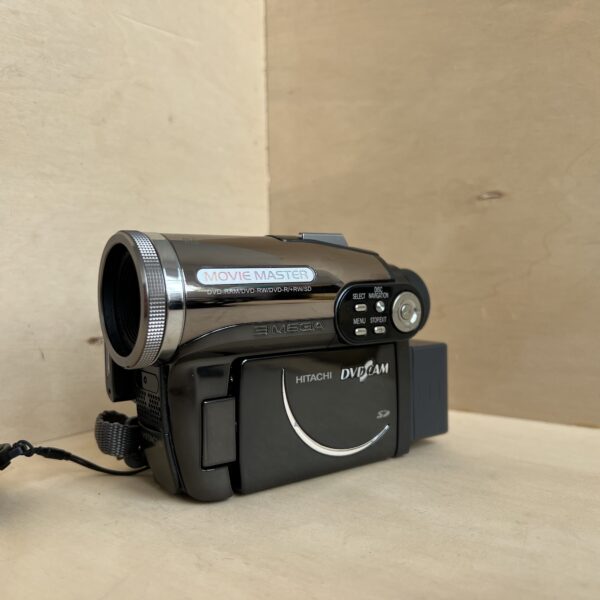
Hitachi DZ-GX3300E: manual and user guide
The Hitachi camcorder that records on 8 cm mini DVDs. Its official PDF manual, then the essentials for using it.
Open the official manualDZ-GX3300A user manual · Hitachi PDF · 156 pages (in French)
Hitachi’s official PDF, which it no longer publishes: the link opens the copy kept by Internet Archive’s Wayback Machine.
Getting started
- Charging The DZ-BP14S lithium-ion battery charges outside the camcorder, mounted on the DZ-ACS3 AC adapter/charger, with the DC cord unplugged from the charger. The CHARGE lamp stays lit while charging and goes out when it’s done. Allow about 165 minutes, between 10 and 30 °C.
- Battery With the camcorder off, place the battery on its mount, terminals facing down, and slide it down until it clicks. To remove it, hold BATTERY EJECT down and slide it up. Take it off after use: left in place, it drains even with the camcorder off.
- Disc With the battery or adapter connected (otherwise the cover won’t open), press DISC EJECT once and open the cover by hand. Place an 8 cm disc, recording side facing in, and press the centre until it clicks, without touching the lens. Close it by pressing PUSH CLOSE. A new DVD-RW or +RW will offer to be formatted.
- Switching on for the first time Hold down the grey button to the right of the power switch and turn the switch to the movie position (disc) or the photo position (SD card or DVD-RAM). If the menus are not in English, open MENU, Initial Setup, Language and choose English. Then set the date and time in MENU, Date Setup, Date Set.
- Filming Remove the lens cap and set the switch to the movie position. When the ACCESS/PC lamp goes out, press REC: REC appears and the red lamp lights up at the front. Press REC again to pause, and switch the camcorder off when you’ve finished.
What it can do
- Photos on an SD card or DVD-RAM, as 2016 × 1512-pixel JPEGs: press PHOTO halfway to focus, then all the way. No photos on DVD-RW, DVD-R or +RW.
- A 10× optical zoom. Beyond that, the digital zoom (Camera Setup menu, Dig. Zoom) goes up to 500× for video and 40× for photos, with a less detailed image.
- A macro mode: with the zoom lever towards W, it focuses down to 2 cm from the lens.
- A built-in video flash for photos, set to Auto, On or Off, effective in principle between 1 and 2.5 m. Set it to Off for close-ups and when a converter is screwed onto the lens.
- An electronic stabiliser (EIS, Camera Setup menu), to switch off on a tripod, and a wind noise filter (MIC. Filter).
Discs and cards
- Bare 8 cm discs only: DVD-RAM (erasing, editing, photos), DVD-RW in VR mode (editing) or VF mode (plays on more players), DVD-R (plays on almost all players, no erasing), +RW (no finalising).
- No CDs, DVD+R, dual-layer DVD-R or DVD-ROM.
- To play a DVD-RW, DVD-R or +RW on a home player, finalise it in the camcorder (Finalize Disc, or the FINALIZE button), plugged into the mains: on battery, finalising isn’t possible. A finalised DVD-R can no longer be recorded on.
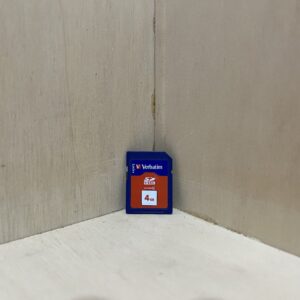
- SD cards, and miniSD with an adapter. No MultiMedia cards.
- A double-sided disc doesn’t switch to the other side by itself: take it out and turn it over.
Good to know
- While the ACCESS/PC lamp is lit or blinking, don’t switch off or shake the camcorder: the recording could be lost.
- When it goes from cold to warm, moisture can condense inside the camcorder: don’t open the disc cover, switch it off and wait 1 to 2 hours somewhere dry.
- An internal battery keeps the date: every 6 months, connect the adapter to the camcorder, switched off, for at least 24 hours.
- With Power Save set to On, it switches off after 5 minutes on pause. The SLEEP/RESTART button puts it on standby and wakes it up again in about a second. After 30 minutes on standby, it switches off.
- In 16:9 mode, the image looks stretched vertically on a 4:3 TV: for those screens, keep 16:9 Off.
DZ-GX3300E specifications
- Media
- 8 cm mini DVD: DVD-RAM, DVD-RW, DVD-R, +RW, SD card for photos
- Sensor
- 1/3-inch CCD, 3.31 MP in total, 3.05 MP active for photos
- Lens
- 6.1-61 mm, f/1.8-3.0, 10× optical zoom, 37 mm thread
- Digital zoom
- up to 500× for video, 40× for photos
- Focusing
- automatic or manual, macro down to 2 cm
- Screen and viewfinder
- 2.7-inch screen, about 120,000 pixels, 0.2-inch colour viewfinder, about 200,000 pixels
- Photo
- 2016 × 1512-pixel JPEG, on SD card or DVD-RAM
- Audio
- Dolby Digital, 3.5 mm stereo mini-jack external microphone input
- Battery
- DZ-BP14S lithium-ion, DZ-ACS3 charger, about 165 minutes
- Dimensions and weight
- 48 × 91 × 132 mm, 470 g without battery or disc, 545 g when filming
In the shop
The Hitachi DZ-GX3300E in the workshop
Filter
Showing the single result
Goes well with
Complete your kit
Accessories in stock that travel in the same parcel.