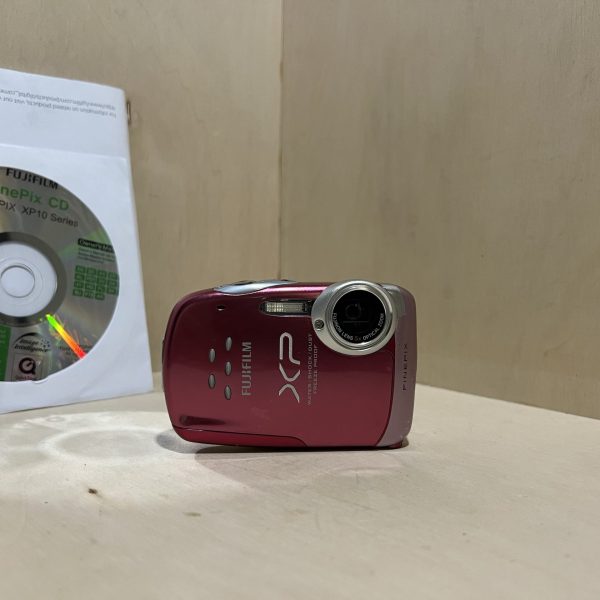
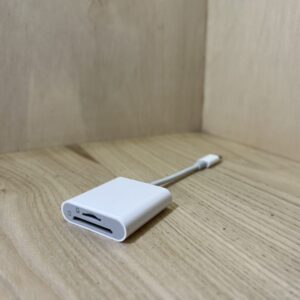
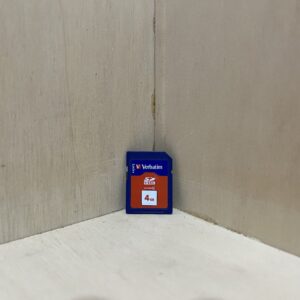
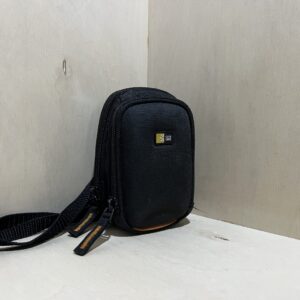
Charging The NP-45A battery charges outside the camera, in the BC-45B charger plugged into a wall socket, inserted the way the label shows. Yellow light while charging, green when it’s done, blinking yellow if the battery is faulty. Allow about 110 minutes at 25 °C.
Battery Push the locking lever and open the cover. Slide the battery in, gold contacts facing down and orange stripe facing the orange catch, which you hold pushed to the side, until it clicks into place. Close it without forcing: lever fully locked and no gap between the cover and the body, otherwise water and sand get in.
Card With the camera off, slide an SD or SDHC card into the same compartment until it clicks. Without a card, it records to its internal memory of about 13 MB and shows IN. Format the card in the camera before using it for the first time, and after any time spent in a computer.
Switching on for the first time Press ON/OFF. The first time you switch on, choose the language with the selector (English is one of the options) and confirm with MENU/OK. Then set the year, month, day, hour and minutes, and confirm again with MENU/OK.
Your first photo In SCENE RECOGNITION mode, the camera recognises the subject and chooses its own settings. Frame with the W and T buttons, press halfway: two beeps and the green lamp when it’s in focus, otherwise a red frame and “!AF”. Then press all the way, holding the camera with both hands.
Waterproofing
Waterproof and dustproof to the equivalent of IP68, down to 3 m deep and for no more than 2 hours at a time. It passed Fujifilm’s drop test: 1 m onto 5 cm plywood (MIL 810F standard). Fujifilm points out that these tests are no guarantee under all conditions.
Before opening the cover for the battery or the card, dry the camera and your hands. Never open it in the water, or by the sea or a lake.
It sinks: keep the wrist strap on your wrist. No hot water (hot springs), no jumping into the water with it, and don’t leave it on the sand in the sun. The accessories aren’t waterproof.
After use, wipe the seal and the surface it sits on, close the cover firmly, then let the camera soak for 10 minutes in fresh water and dry it completely. No soap, no detergent, no alcohol. Rinse off sunscreen straight away with lukewarm water.
The seal can be replaced, at your expense: Fujifilm recommends changing it once a year. After a hard knock, the camera may be less watertight.
What it can do
HD 720p video (1280 × 720), or 640 × 480 and 320 × 240, at 30 frames per second with mono sound, using the video button. The optical zoom locks once recording starts, and a clip stops by itself at around 2 GB or 15 minutes. For HD, use a card of at least Class 4.
An UNDERWATER mode for underwater or aquarium shots, also available for video, among other scene modes: Beach, Snow, Sport, Night, Flower, Text.
Macro mode (selector to the left) focuses from about 9 cm at wide angle. A tripod is recommended.
Silent mode, turned on by holding down DISP/BACK, cuts the sounds, the flash and the lamps.
The flash
Range with auto sensitivity: 70 cm to 3.1 m at wide angle, 70 cm to 2.7 m at telephoto, 30 to 80 cm in macro.
Four modes with the selector to the right: auto, forced, off and slow sync. With face detection, red-eye correction is added (RED EYE REMOVAL, on by default).
The flash may fire several times for each shot: don’t move until it’s done.
Good to know
In cold weather, the battery and the number of shots drop: keep it in an insulated case or under your clothes. It works from −10 to +40 °C. Don’t leave it where it’s 40 °C or more, or 0 °C or less.
It switches itself off after 2 minutes without use (factory setting), 5 minutes or never: AUTO POWER OFF, in the set-up menu.
Digital stabilisation (DIGITAL IS) is off by default. Set it to AUTO in the set-up menu to limit camera shake in low light.
Once it has been in the camera for about 24 hours, the battery can then be taken out for 24 hours without losing the time or the language. Any longer and it asks for the language again when you switch it on.
FinePix XP15 specifications
Sensor
1/2.33-inch CCD, 12 million effective pixels
Lens
Fujinon 5× zoom, 6.4-32 mm (36-180 mm in 35 mm equivalent), f/4-4.8
Focusing
contrast-detect autofocus, 60 cm (wide angle) or 1 m (telephoto) to infinity, 9 cm in macro
Exposure
programmed auto exposure, shutter from 4 s to 1/2000 s, ISO 100 to 1600 or auto
Screen
2.7-inch LCD, 230,000 dots, about 96% coverage
Video
Motion JPEG (AVI), 1280 × 720, 640 × 480 or 320 × 240, 30 frames per second, mono sound
Waterproofing
IP68 equivalent, down to 3 m underwater, 1 m drop (Fujifilm test)
Pay by card, Klarna or Google Pay. Your bank details never pass through us.
Free delivery from €150 in mainland France
Elsewhere, the exact rate is shown before you pay.
Tracked parcels, padded by hand
Tracking number by email, oversized packaging: a camera body doesn’t travel like a book.
Tested second-hand
Mechanics, optics, electronics: every item goes through our testing method before it goes online.
A word about cookies
Those for the basket and payment are essential. The others wait for your consent: audience measurement, advertising, visit tracking for our emails. You can withdraw it whenever you like. Details here.