Sony α7 III (ILCE-7M3): manual and user guide
Sony's full-frame mirrorless camera and its 28-70 mm. Its official PDF manual, then the essentials to get started.
Open the official manualHelp Guide · Sony PDF · 698 pages · 7.2 MB (in French)
The PDF opens directly, served by Sony. Source: its official support page.
Getting started
- Battery Open the battery cover and slide in the NP-FZ100 battery, pushing the lock lever with it, until it clicks. Close the cover.
- Charging It recharges in the camera while switched off, via the USB cable and a mains adapter of at least 1.5 A: about 285 minutes for an empty battery. The orange lamp goes out when it's done.
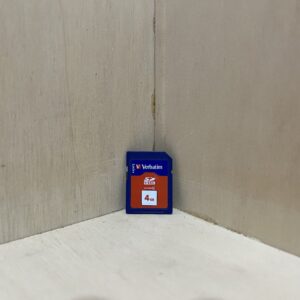
- Card An SD card goes in slot 1, the lower one, with the cut corner as shown in the diagram, until it clicks. Slot 2 takes a second SD card or a Memory Stick PRO Duo. Format the card in the camera the first time.
- Switching on for the first time Mount the lens with the camera off: line up the white marks and turn until it clicks. When you switch on, choose the language, then the area, date and time with the control wheel.
- Your first photo Set the mode dial to Intelligent Auto: the camera recognises the scene. Press the shutter button halfway to focus (a beep, a lamp), then fully.
The mode dial
- Intelligent Auto: the camera recognises the scene and sets almost everything itself.
- P (Program Auto): it chooses shutter speed and aperture, you keep control of the other settings.
- A (Aperture Priority): you set the aperture, to blur the background for example.
- S (Shutter Priority): you set the shutter speed, to freeze a fast subject.
- M (Manual Exposure): shutter speed and aperture, you decide.
Good to know
- A single SD card or a UHS-II one? Slot 1. A Memory Stick? Slot 2 only, and set Prioritise Rec. Media to Slot 2.
- For 4K at 100 Mbps, you need a U3 SDHC or SDXC card. At 60 Mbps, Class 10 or U1 is enough.
- A movie stops after about 29 minutes. Press MOVIE again to start recording again.
- The clock runs on an internal battery: to recharge it, leave a charged battery in the camera, switched off, for 24 hours or more.
Dust on the sensor
- Change lenses with the mount facing down, so dust doesn't get in.
- Dark spots on your photos? MENU, Setup, Cleaning Mode, Enter: the sensor vibrates to shake the dust off.
- If that's not enough: camera off, lens removed, blow with a blower bulb (not supplied), camera tilted forwards. Never use a spray blower, and keep the nozzle outside the mount.
α7 III (ILCE-7M3) specifications
- Sensor
- 35 mm full-frame CMOS (35.6 × 23.8 mm), about 24.2 MP
- Lens
- FE 28-70 mm f/3.5-5.6 OSS zoom, 28-70 mm in 35 mm terms on this full-frame sensor, E-mount
- Stabilisation
- in-body sensor stabilisation (SteadyShot), and the lens is stabilised too
- Viewfinder
- 1.3 cm electronic, 2,359,296 dots, 100% coverage
- Screen
- 7.5 cm (3-inch) touchscreen, 921,600 dots
- Video
- 4K 3840 × 2160 in XAVC S, HD in XAVC S or AVCHD
- Battery
- NP-FZ100, about 710 shots using the screen or 610 using the viewfinder (CIPA standard)
- Card
- SD, SDHC, SDXC (UHS-II in slot 1), Memory Stick PRO Duo in slot 2
- Factory reset
- MENU, Setup, Setting Reset, then Initialize (recorded images are kept)
In the shop
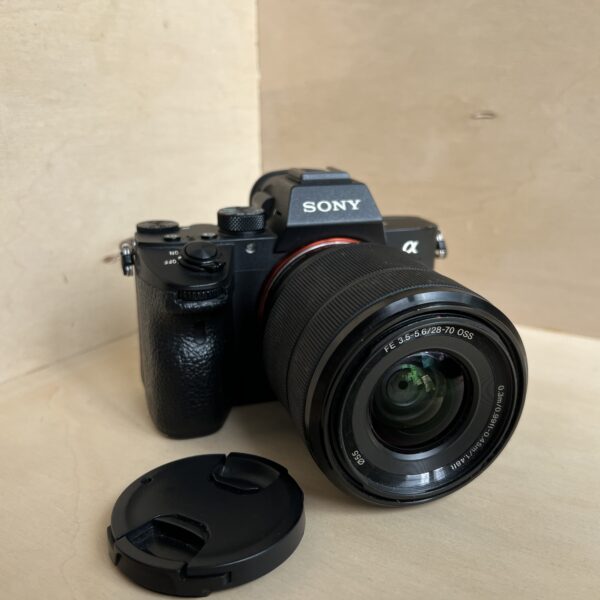
The Sony α7 III (ILCE-7M3) in the workshop
Filter
Showing the single result
Goes well with
Complete your kit
Accessories in stock that travel in the same parcel.
In the same category
The same kind of camera, available
More items from the same category, tested and checked in our workshop.