Panasonic Lumix DC-GH5: manual and user guide
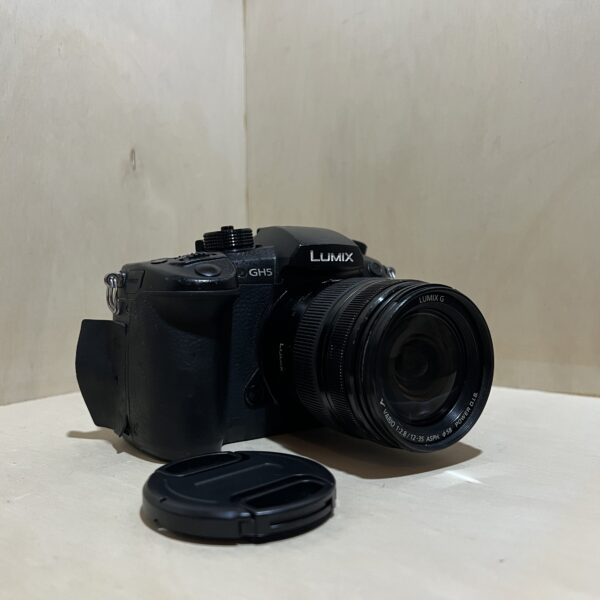
The Panasonic 4K mirrorless camera with its 12-35 mm f/2.8. Its official manual as a PDF, then the essentials to get you started.
The PDF opens directly, hosted by Panasonic. Source: its official support page.
Getting started
- Battery With the camera off, push the lever towards OPEN, open the door and slide the battery in until you hear it lock: the lever holds it in place. Check that no grit is stuck to the rubber seal on the door.
- Charging It charges in its charger, indoors: the CHARGE light comes on, then goes off after about 220 minutes. If it blinks, the battery is too hot or too cold: aim for between 10 and 30°C.
- Cards Two slots: SD, SDHC (4 to 32 GB) or SDXC (48 to 128 GB), pushed in until it clicks. 4K video needs a UHS Speed Class 3 card. Format the card in the camera: Setup menu, Format.
- Switching on for the first time Fit the lens with the camera off: line up the marks and turn until it clicks. Switch on, choose the language, set the date and time with the cursor buttons, confirm with MENU/SET, then set your home area.
- Your first photo Unlock the mode dial and turn it to Intelligent Auto. Press halfway: the focus indicator appears. Press all the way down. To film, press the movie button, and press it again to stop.
P, A, S, M modes
- P: the camera sets the aperture and shutter speed on its own to suit the light.
- A: you choose the aperture, it adjusts the shutter speed. S: you choose the shutter speed, it adjusts the aperture.
- M: you set both, the shutter speed with the rear dial and the aperture with the front dial. A meter helps you judge the exposure.
- Out of the box, the Intelligent Auto position is set to Intelligent Auto Plus. You can switch to plain Intelligent Auto in the menu.
Video and stabilisation
- C4K 4096 × 2160 at 24p, 10-bit 4:2:2 at 150 Mbit/s. 4K 3840 × 2160 up to 60p (8-bit) or 30p (10-bit).
- The body’s stabiliser can work together with the lens’s (Dual I.S.). For video, a 5-axis hybrid stabiliser is added on top.
- On the 12-35 mm, Panasonic recommends setting the O.I.S. switch to OFF when you’re on a tripod.
Rain, dust, care
- The body is “splash-proof” with a lens designed for it, but that’s no guarantee against direct contact with water.
- Change the battery, lens or card somewhere dry, then close each door properly.
- The 12-35 mm is dust- and splash-resistant but not waterproof: if it gets wet, wipe it with a soft, dry cloth.
- Before selling the camera or sending it off for repair, reset it to erase your personal information.
Lumix DC-GH5 specifications
- Mount
- Micro Four Thirds (focal length doubled in 35 mm equivalent)
- Photos
- 20 MP (L image size)
- Lens included
- Lumix G X Vario 12-35 mm f/2.8, i.e. 24-70 mm in 35 mm equivalent, stabilised (O.I.S.)
- Stabilisation
- in the body and in the lens (Dual I.S.), 5-axis hybrid for video
- Screen and viewfinder
- touchscreen that opens out to 180° and swivels, viewfinder with eye sensor
- Video
- C4K 4096 × 2160 24p and 4K 3840 × 2160 up to 60p
- Battery
- charges in about 220 min, 380 to 410 shots depending on the lens and viewfinder use (CIPA standard)
- Cards
- two SD, SDHC, SDXC slots (UHS-I and UHS-II)
- Factory reset
- Setup menu, Reset (the time and folder number are kept)
In the shop
The Panasonic Lumix DC-GH5 in the workshop
Filter
Showing the single result
Goes well with
Complete your kit
Accessories in stock that travel in the same parcel.



In the same category
The same kind of camera, available
More items from the same category, tested and checked in our workshop.