Charging The battery charges outside the camera, in the BC-81L charger: the CHARGE lamp is red while charging and goes out when it’s done. Allow about 210 minutes, between 5 and 35 °C. If it blinks red, there’s a problem with the temperature or the battery.
Battery Push the cover latch towards OPEN and open the cover. Slide in the NP-82 or NP-80 battery, EXILIM logo facing the screen, pushing the stopper aside until it holds the battery in place. Close the cover and push the latch towards LOCK.
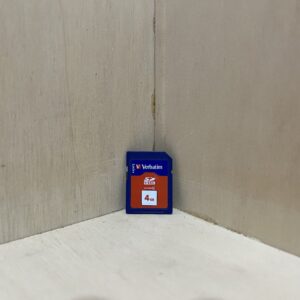
Card With the camera off, slide an SD or SDHC card into the same compartment, front facing the screen, until it clicks. Without a card, it records to its 16.9 MB internal memory. Format a new card in the camera: MENU, Set Up tab, Format.
Switching on for the first time Press ON/OFF. The first time you switch it on, choose the language, the date order, then the date and time, and confirm with Apply. Then leave the battery in place for at least 24 hours, or the clock may lose its settings.
Your first photo Press REC: the lens extends. Frame and press halfway: it beeps and the frame turns green when it’s in focus. Press all the way to take the picture. The Movie button starts a video, a second press stops it.
What it can do
Videos with mono sound: 848 × 480 or 640 × 480 at 30 frames per second, 29 minutes max per clip. The optical zoom is locked while recording: set it before you start.
Easy mode simplifies everything: it leaves only the flash, self-timer and image size adjustable. You turn it on in the control panel, which opens with SET.
BEST SHOT offers ready-made scenes (portrait, landscape, night scene…): press BS and choose. The Auto scene takes you back to normal shooting.
Anti Shake reduces blur from camera shake and subject movement. It needs ISO sensitivity set to Auto, doesn’t work with flash or for video, and the image may come out a little grainier.
Good to know
Don’t open the cover while the rear lamp is blinking green: the current image may not be saved properly and the others may be damaged.
Don’t hold the lens back when it extends at power-on: you risk a malfunction.
With no activity, the screen goes to sleep (30 seconds, 1 or 2 minutes), then the camera turns itself off (1, 2 or 5 minutes): Sleep and Auto Power Off settings, Set Up tab.
Left without power for about two days, with a flat battery, it loses the date and time: set them again.
In cold weather, the battery doesn’t last as long. Take it out of the camera when you’re not using it, and run it down before storing it for a long time.
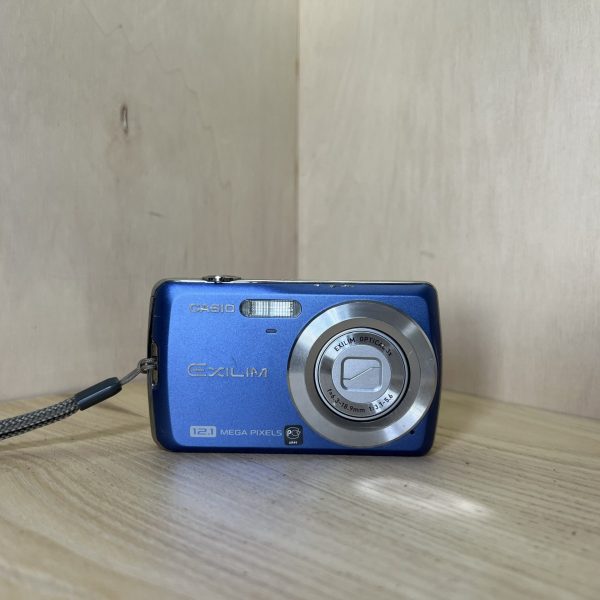
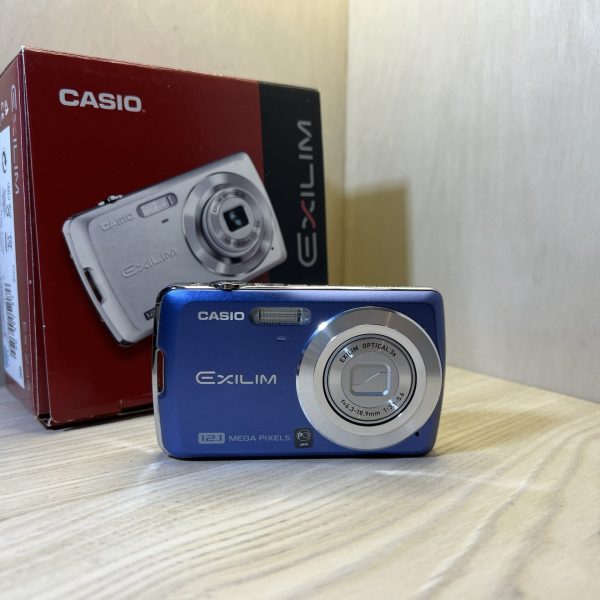
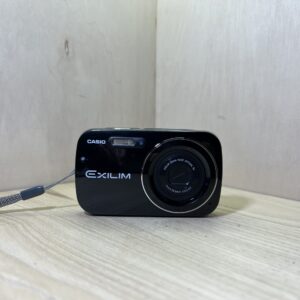
Exilim EX-Z35 specifications
Sensor
1/2.3-inch CCD, 12.1 effective MP, images up to 4000 × 3000
Lens
3× zoom, 6.3-18.9 mm (35.5-106.5 mm in 35 mm equivalent), f/3.1-5.6
Focusing
autofocus from 10 cm, macro from 10 to 50 cm (wide angle)
Sensitivity
Auto, ISO 80 to 1600, always Auto for video
Screen
2.5 inches, 230,400 dots
Video
848 × 480 or 640 × 480 at 30 frames per second, 320 × 240 at 15 frames per second, mono sound (AVI Motion JPEG)
Flash
0.1 to 2.9 m at wide angle, 0.4 to 1.6 m at telephoto (Auto ISO)
Battery
NP-82 or NP-80 lithium-ion, about 200 shots (CIPA standard), BC-81L charger
Card
SD, SDHC, 16.9 MB internal memory
Dimensions and weight
98.8 × 57.3 × 20.4 mm, 114 g without battery or card
Pay by card, Klarna or Google Pay. Your bank details never pass through us.
Free delivery from €150 in mainland France
Elsewhere, the exact rate is shown before you pay.
Tracked parcels, padded by hand
Tracking number by email, oversized packaging: a camera body doesn’t travel like a book.
Tested second-hand
Mechanics, optics, electronics: every item goes through our testing method before it goes online.
A word about cookies
Those for the basket and payment are essential. The others wait for your consent: audience measurement, advertising, visit tracking for our emails. You can withdraw it whenever you like. Details here.