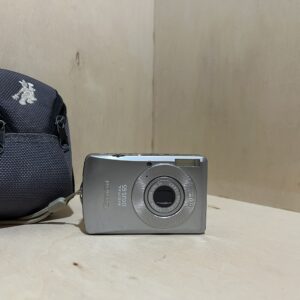
The PDF opens directly, served by Canon. Opening it means you accept its download agreement.
Getting started
Batteries It runs on 2 AA alkaline batteries or 2 Canon AA NiMH rechargeables. Respect the + and − signs, don’t mix types or brands, and wipe the terminals with a dry cloth before inserting them.
Charging Nothing to charge with alkalines. With NiMH, the Canon CBK4-300 charger recharges the batteries outside the camera: about 4 h 40 min when flat. Never charge for more than 24 hours in a row.
Card It takes SD, SDHC and MultiMediaCard cards, in the same compartment as the batteries. Format any new card in the camera: Set up menu, then Format. This erases everything, protected photos included.
Switching on for the first time Press ON/OFF. Date, time and language are set in the Set up menu. If the Date/Time menu opens by itself when you switch on, the CR1220 date battery is flat: replace it.
Your first photo Mode switch on shooting, dial on Auto. Press halfway: the AF frame turns green once focus is set. Then press all the way. Image stabilisation is set to Continuous by default.
The P, Tv, Av and M modes
In P, the camera sets the shutter speed and aperture to suit the light. If they show in red when you press halfway, the exposure won’t be right.
In Tv, you choose the shutter speed, from 15 s to 1/2000 s, and it sets the aperture. If the aperture shows in red, change the shutter speed until it turns white again.
In Av, you choose the aperture and it sets the shutter speed. A small number (f/2.8) blurs the background, a large one keeps everything sharp from foreground to background.
In M, you set both. The difference from the standard exposure shows when you press halfway, in red beyond ±2.
Batteries and battery life
Expect about 100 shots with AA alkalines and the screen on, about 360 with NB-3AH NiMH batteries (CIPA standard). With the screen off, using the viewfinder, about 500 and 900.
In cold weather, batteries weaken faster: warm them in a pocket before use, never with keys.
If you won’t be using it for a long time, take the batteries out: a leak can damage the camera.
For a long session or connecting to a computer, Canon recommends the ACK800 AC adapter kit, sold separately.
Good to know
Image stabilisation has four settings, in the Rec. menu: Continuous, Shoot Only, Panning and Off.
It records video at 640 × 480, 30 fps. A clip stops at 1 GB or after one hour.
If left idle, it switches off after about 3 minutes in shooting mode: press ON/OFF to switch it back on.
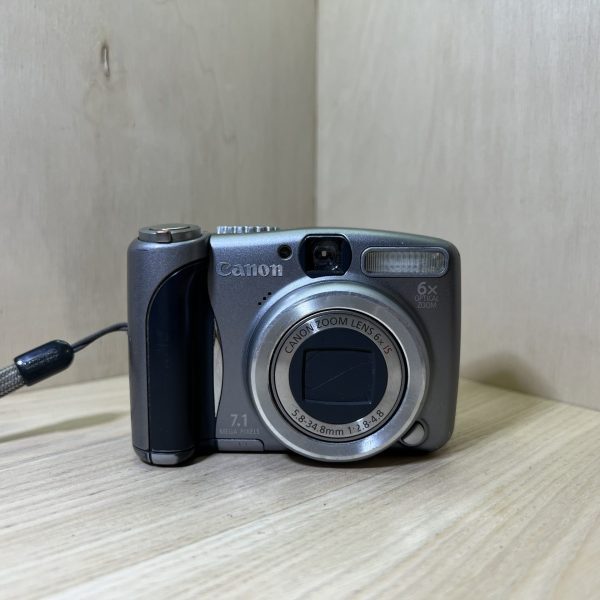
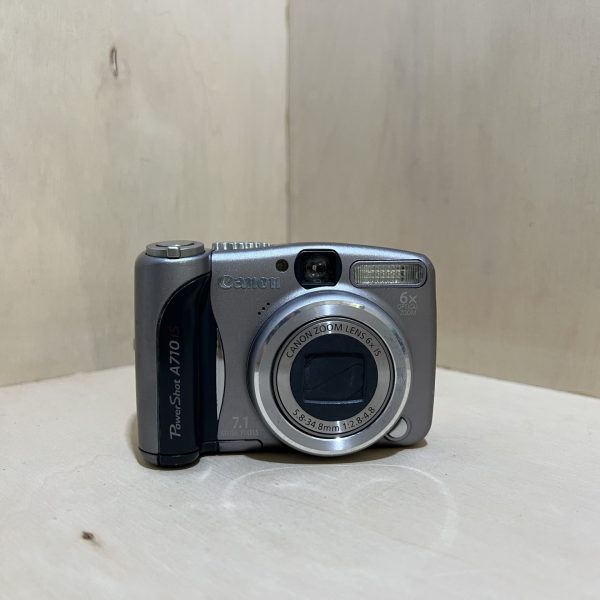
PowerShot A710 IS specifications
Sensor
1/2.5-inch CCD, 7.1 MP
Lens
6× zoom, 35-210 mm (35 mm equivalent), f/2.8-4.8
Stabilisation
optical, by shifting a lens element
Screen
6.4 cm (2.5 inches), plus an optical viewfinder
Video
640 × 480, 30 frames per second
Power
2 AA alkaline or NiMH batteries, about 100 shots on alkalines with the screen on
Card
SD, SDHC, MultiMediaCard
Modes
Auto, P, Tv, Av, M, scenes, stitch assist, video
Factory reset
Set up menu, then Reset All (date, language and video system are kept)
Pay by card, Klarna or Google Pay. Your bank details never pass through us.
Free delivery in France from €150
In mainland France. Elsewhere, the exact rate is shown before you pay.
Tracked parcels, padded by hand
Tracking number by email, oversized packaging: a camera body doesn’t travel like a book.
Tested second-hand
Mechanics, optics, electronics: every item goes through our testing method before it goes online.
A word about cookies
The ones that make the basket and payment work stay: we can’t do without them. The others wait for your consent: audience measurement (Google Analytics, Jetpack), advertising (Google Ads, Pinterest) and visit tracking for our emails (MailerLite). You can withdraw it whenever you like. Details here.