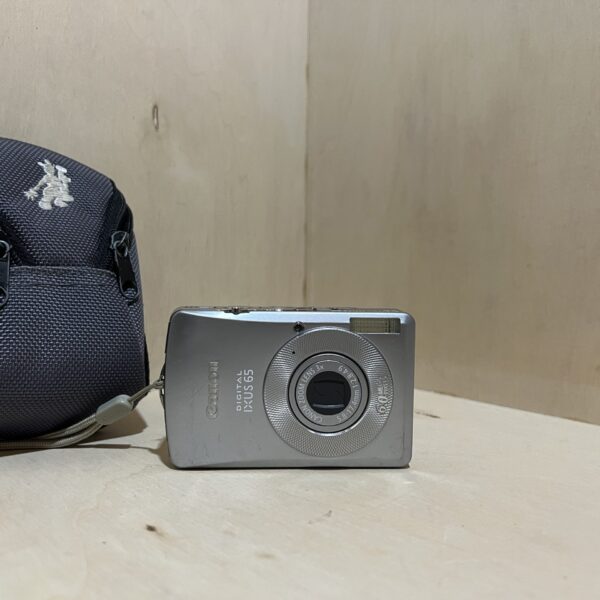
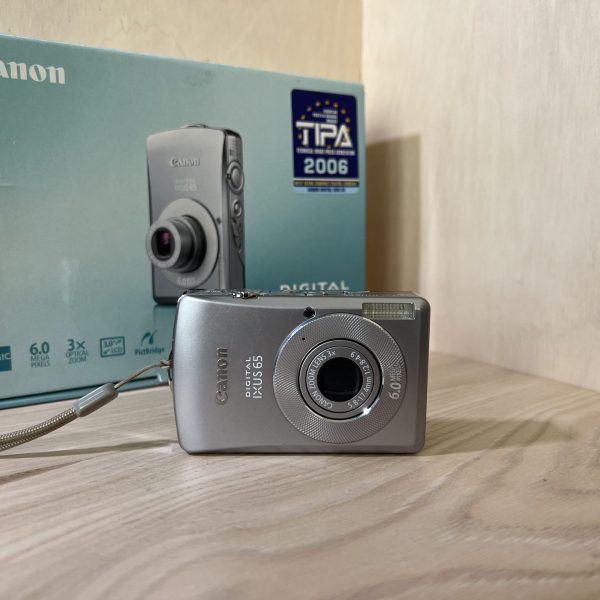
The PDF opens directly, served by Canon. Opening it means you accept its download agreement.
Getting started
Battery It runs on an NB-4L lithium-ion battery. Keep its terminals clean and nothing metal against it. When you carry it, always put the terminal cover back on.
Charging Charge it in the CB-2LV or CB-2LVE charger: about 1 h 30 min when flat, ideally between 5 and 40 °C. No need to run it down first. Charge it the day before or on the day.
Card It takes SD and MultiMediaCard cards. Canon tested it with cards up to 2 GB. Format a new card in the camera: Set up menu, then Format. This erases everything.
Switching on for the first time Press ON/OFF. In the Set up menu, set the date and time, the language and your time zone. The Touch Control Dial lets you pick the country faster.
Your first photo In shooting mode, press halfway, then all the way. The green lamp shows the camera is ready. If it blinks orange, it’s warning you about camera shake.
Avoiding blur
To fight camera shake, the manual relies on ISO: on Auto ISO, it goes up by itself in low light to keep the shutter speed fast.
The High ISO Auto setting goes higher still: less blur, but a little more noise in the image.
If the lamp blinks orange as you press the shutter, that’s the camera shake warning.
What it can do
The Touch Control Dial shows each button’s function on screen and scrolls through your photos.
A tilt sensor detects photos taken in portrait orientation and shows them the right way up on screen.
It records video at 640 × 480, 30 fps, with sound. A clip stops at 1 GB or after one hour.
The FUNC. menu groups the everyday settings. Once you’ve made a choice, the shutter button takes the photo straight away.
Battery and battery life
About 160 shots per charge (CIPA standard), or 3 h 30 min of playback.
Battery life drops in cold weather: keep the battery warm in a pocket, away from keys.
For long-term storage, let it run down in the camera and keep it somewhere dry between 0 and 30 °C. Once a year, charge it, then run it down.
Digital IXUS 65 specifications
Sensor
1/2.5-inch CCD, 6 MP
Lens
3× zoom, 35-105 mm (35 mm equivalent), f/2.8-4.9
Screen
7.6 cm (3 inches), 173,000 pixels
Video
640 × 480, 30 frames per second
Battery
NB-4L lithium-ion, about 160 shots
Charger
CB-2LV or CB-2LVE, about 1 h 30 min
Card
SD or MultiMediaCard
Weight
about 145 g, body only
Factory reset
Set up menu, then Reset All (time zone, date, language and video system are kept)
Pay by card, Klarna or Google Pay. Your bank details never pass through us.
Free delivery in France from €150
In mainland France. Elsewhere, the exact rate is shown before you pay.
Tracked parcels, padded by hand
Tracking number by email, oversized packaging: a camera body doesn’t travel like a book.
Tested second-hand
Mechanics, optics, electronics: every item goes through our testing method before it goes online.
A word about cookies
The ones that make the basket and payment work stay: we can’t do without them. The others wait for your consent: audience measurement (Google Analytics, Jetpack), advertising (Google Ads, Pinterest) and visit tracking for our emails (MailerLite). You can withdraw it whenever you like. Details here.